
Protect Yourself from Supply Chain Attacks in 2026 With Simple Online Safety Tips
- Cyndi Rose

- 3 minutes ago
- 4 min read
Imagine you just booked a hotel room on Booking.com or opened a popular app on your phone. You trust these companies because they are well-known and reliable. But what if hackers don’t attack these companies directly? Instead, they sneak in through the smaller companies or tools that help these big companies work. These sneaky attacks are called supply chain attacks, and they have become more common in early 2026. When one of these “helper” companies gets hacked, your personal details like your name, email, address, or booking information can be stolen. This can lead to scams or even identity theft.
The good news is you can protect yourself with simple habits. This post will explain what supply chain attacks are and share easy steps to keep your information safe online.
What Are Supply Chain Attacks?
Think of supply chain attacks like a chain of friends passing a message. If one friend in the middle gets tricked and changes the message, everyone down the line gets the wrong information. In the online world, big companies rely on smaller “helper” companies for software, booking services, or other tools. Hackers target these helpers because they are often easier to break into.
For example, in 2026, some popular apps and booking websites were affected because hackers got into the software tools those companies use. When that happens, your personal information can be exposed without the main company being hacked directly.
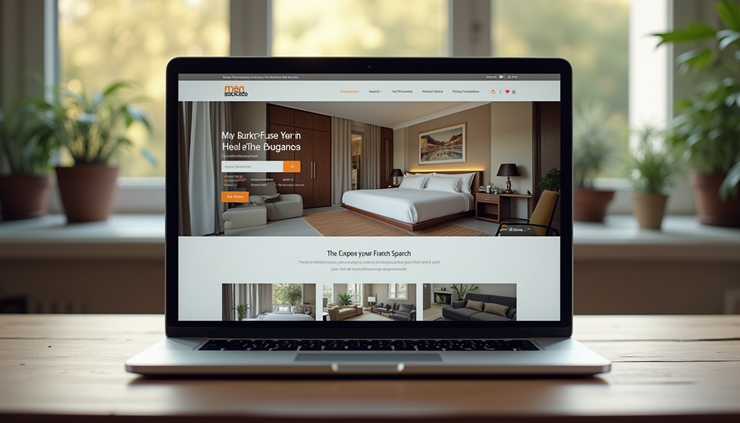
Booking websites rely on many smaller companies to work smoothly, which can sometimes create security risks.
Why Hackers Target These “Helpers”
Hackers want to reach as many people as possible. Instead of attacking a big company head-on, which can be hard, they attack the smaller companies that support them. These smaller companies might not have strong security, making them easier targets.
Once hackers get in, they can steal personal information like:
Your name and email address
Your home address
Payment details
Booking or order information
This information can be used to send fake emails or messages that look real, called phishing scams. These scams try to trick you into giving away passwords or money. Sometimes, hackers use your stolen identity to open accounts or make purchases in your name.
How to Spot If You Might Be at Risk
You might not know right away if your information was stolen through a supply chain attack. But here are some signs to watch for:
You get emails or messages asking for personal information or passwords
You see charges on your bank or credit card you don’t recognize
You receive calls or texts from people claiming to be from companies you use, asking for details
Your accounts suddenly have strange activity
If you notice any of these, take action quickly to protect yourself.
Simple Steps to Protect Yourself Online
You don’t need to be a tech expert to stay safe. Here are easy habits that help protect your personal information:
1. Use Strong, Unique Passwords
Don’t use the same password for all your accounts. If one account is hacked, others can be at risk. Use a mix of letters, numbers, and symbols. You can write them down in a safe place or use a password manager app.
2. Turn on Two-Factor Authentication (2FA)
This adds an extra step when you log in, like a code sent to your phone. Even if someone gets your password, they can’t get in without the code.
3. Be Careful with Emails and Links
If you get an email asking for personal info or to click a link, check carefully. Look for spelling mistakes or strange sender addresses. When in doubt, go directly to the company’s website instead of clicking links.
4. Keep Your Devices Updated
Make sure your phone, tablet, and computer have the latest updates. These updates fix security problems and help protect you.
5. Use Trusted Websites and Apps
Stick to well-known websites and apps for shopping, booking, or banking. Check reviews and avoid downloading apps from unknown sources.

Using two-factor authentication adds an extra layer of security to your online accounts.
What to Do If You Think You’ve Been Affected
If you suspect your information was stolen in a supply chain attack, here are some quick steps:
Change your passwords right away, especially for important accounts like email and banking
Contact your bank or credit card company to report any suspicious charges
Watch your accounts closely for unusual activity
Be extra careful with emails or calls asking for personal information
Consider placing a fraud alert on your credit report
Staying Safe in 2026 and Beyond
Supply chain attacks can feel scary because they happen through companies you trust. But by understanding how these attacks work and using simple safety habits, you can protect yourself and your personal information.
Remember, hackers often look for easy targets. By making your online habits stronger, you become a harder target. Keep your passwords strong, watch out for suspicious messages, and update your devices regularly. These small steps make a big difference.
Your personal information is valuable. Treat it like you would your wallet or keys. Stay alert, stay safe, and enjoy using your favorite apps and websites with confidence.


Comments